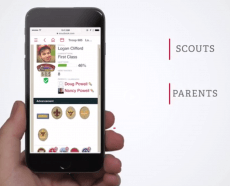
What Is Scoutbook Plus?
Scoutbook Plus is Scouting America's online tool for tracking advancement, managing your unit roster, and handling day-to-day unit business. It was formerly known as Internet Advancement, and as of May 6, 2026, units have been transitioning from the older "Scoutbook Legacy" system over to Scoutbook Plus as their primary tool.
If you've used Scoutbook before, think of Scoutbook Plus as the next generation of the same system — same data, same login, cleaner interface, and it works well on desktop, tablet, or phone.
What Scoutbook Plus Does
Scoutbook Plus covers the core jobs unit leaders need day to day:
- Advancement tracking — record rank requirements, merit badges, and Cub Scout adventures as Scouts complete them.
- Roster management — see who's registered in your unit, organize dens/patrols, and manage leader positions.
- Activity & service hour logging — track camping nights, hiking miles, and service hours for individual Scouts.
- Calendar & events — schedule meetings and events, collect RSVPs, and share digital permission slips.
- Leader permissions — control who can view or edit records based on their official position in the unit.
A few features are still handled in Scoutbook Legacy rather than Scoutbook Plus, including the payment log and messaging to large distribution lists. Everything else is steadily moving over to Scoutbook Plus as it's built out.
How It Works
One login for everything. There's no separate account to create — leaders use their existing my.Scouting.org credentials to access Scoutbook Plus directly at advancements.scouting.org, or through links in Scoutbook and my.Scouting.org. The system automatically shows you the right screens for your role, so you generally don't need to worry about which "version" you're in.
Rosters update automatically. When a Scout or leader registers with your unit, they typically appear on your Scoutbook Plus roster within about 24 hours — no manual entry needed.
Permissions follow your position. Scoutbook Plus uses a position-based permissions model. Access is tied to your official registered or functional position (Cubmaster, Scoutmaster, Advancement Chair, Key 3, etc.), and unit leaders like the Chartered Organization Representative can move people between positions using the Permissions Manager, with changes reflected within a day.
Advancement is straightforward to record. Click into a Scout's profile to see their progress toward their current rank, drill into specific requirements, and mark items complete. Leaders can also enter advancement credit for previous ranks for record-keeping purposes (a capability parents and Scouts don't have).
It's free. Like Scoutbook before it, there's no cost to units for using Scoutbook Plus.
Getting Started
If your unit hasn't used Scoutbook or Scoutbook Plus before, a Key 3 member (Cubmaster/Scoutmaster/Crew Advisor, Committee Chair, or Chartered Organization Representative) or a Key 3 Delegate should log in at my.Scouting.org first to set up the unit's functional positions before diving into Scoutbook Plus itself.
Questions?
For help, visit the Scoutbook Knowledge Base or post a question on the Scouting Forums, where volunteers regularly answer questions from other units.

